
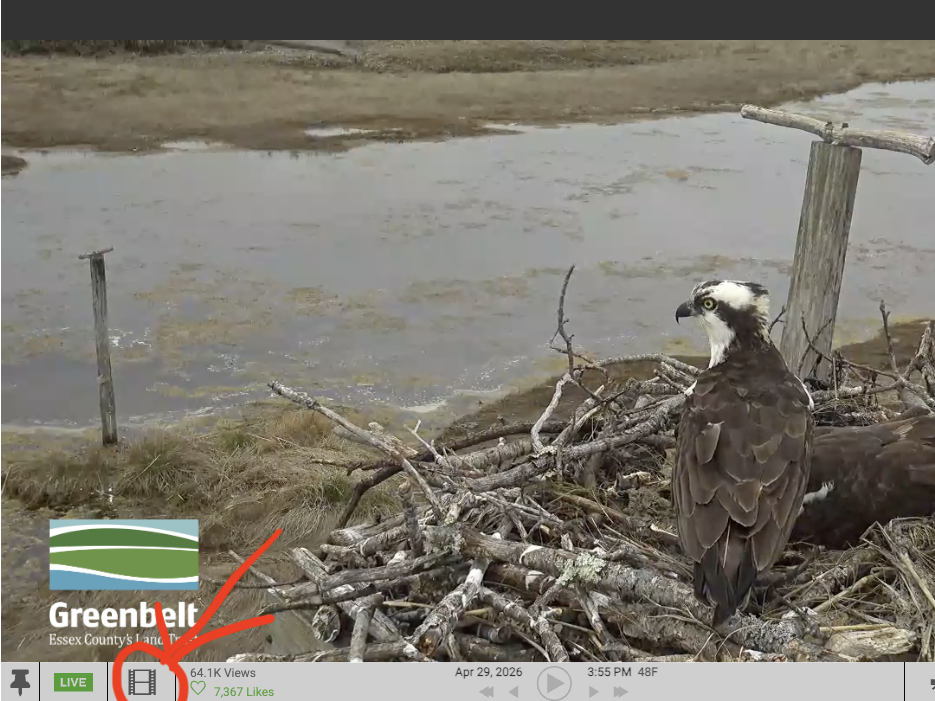
I realized today that the feature that enabled viewers to see archived photos from the webcam was not activated like it has been in past years. That has been corrected, although only for photos, not video.
Anyone can hover their mouse over the lower part of the image screen, which activates the toolbar. Then just click your cursor on the film strip icon on the left side of the toolbar (circled in red with arrow in photo) , and then you can scroll one photo at a time by clicking on the single forward or reverse arrow, or scroll a day at a time using the double arrows.
The webcam archives a photo every 5 minutes, so it is a great way to look back if you haven't been watching or missed something. I use the feature frequently.